Step-by-Step Assembly Guide for WaveLine® InfoDesks
Introduction
The WaveLine® InfoDesk is a purpose-built display counter for exhibitors who need a balance of portability, professional presentation, and rapid setup. In this guide you will find clear, product-focused instructions and practical tips to assemble and maximize the InfoDesk at trade shows, conferences, and retail activations. Therefore, you can arrive confident and ready to present your brand.
General Information
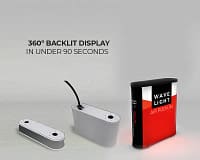
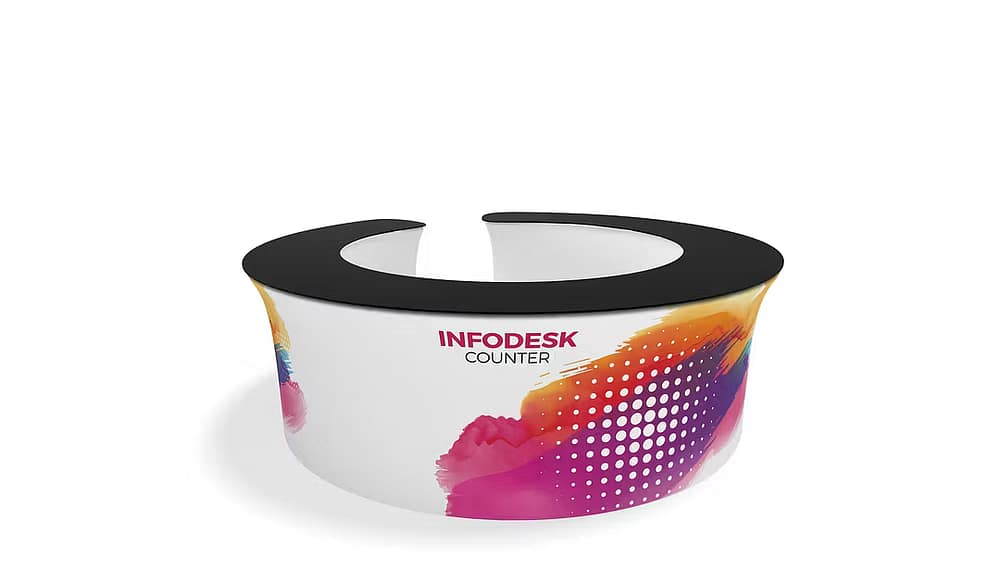
The InfoDesk combines a lightweight aluminium frame with tension fabric graphics to create a polished counter that is easy to brand and rebrand. Furthermore, the system is designed for tool-free assembly so that a single staff member can set it up quickly. As a result, it saves on labour costs and minimizes downtime between events.
Components and Specifications
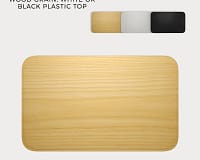
The kit includes a collapsible aluminium frame, tension-fit fabric panels, a top counter surface, internal shelves, and a padded carry case. Typically, the main specifications include:
- Material: anodized aluminium frame and printed polyester fabric
- Finish: dye-sublimation printed graphics for vibrant, long-lasting colour
- Weight: lightweight for single-person handling
- Kit contents: frame, front and side fabric panels, countertop, internal shelf, and carry bag
Design Features and Material Quality
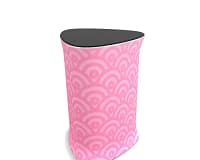
The design focuses on clean presentation and durability. Additionally, the fabric panels stretch over the frame for a seamless look, while the aluminium frame resists wear from repeated assembly. The countertop is robust enough for laptops and product samples, and internal shelving offers secure storage. Because the graphics are replaceable, you can swap branding in minutes for different campaigns.
Setup Process: Step-by-Step
Follow these steps to assemble the InfoDesk quickly and reliably. First, remove the components from the carry case and lay them out on a clean surface. Next, extend the aluminium frame until it locks into place. Then, slide the printed fabric panel over the frame and align the corners. After that, attach the countertop by aligning its brackets and snapping it into position. Finally, insert the internal shelf and adjust any tension points to ensure the fabric is smooth. Consequently, your counter will look professional and be ready for use in under 10 minutes.
Portability and Packing
The InfoDesk packs down compactly into a padded carry bag, which protects printed graphics during transit. Moreover, the lightweight frame reduces shipping costs and makes it practical for one person to carry between venues. Therefore, frequent exhibitors will appreciate the convenience and reduced logistical burden.
Use Cases and Product Highlights
Use the InfoDesk as an information counter, registration station, demo table, or retail point-of-sale surface. For quick rebranding, swap the fabric graphics between events, and for internal organisation, use the shelf to store literature and giveaways. In addition, the polished presentation enhances brand visibility while the modular parts allow for creative booth layouts. Learn more here: WaveLine® InfoDesks
Conclusion
In summary, the WaveLine® InfoDesk delivers a blend of speed, style, and reliability that suits busy exhibitors. Because it is tool-free, brandable, and portable, it reduces setup time and elevates the look of any booth. Therefore, investing in this counter improves efficiency and reinforces your brand presence at every event.