How to Use the WaveLine® InfoDesk to Enhance Your Trade Show Booth
Introduction
The WaveLine® InfoDesk is a purpose-built counter that helps exhibitors present their brand clearly and professionally. In this guide you will learn how the counter’s design, portability, and setup features improve booth performance. Furthermore, the guidance is practical so you can apply it at your next event with confidence.
Product Overview
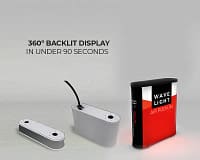
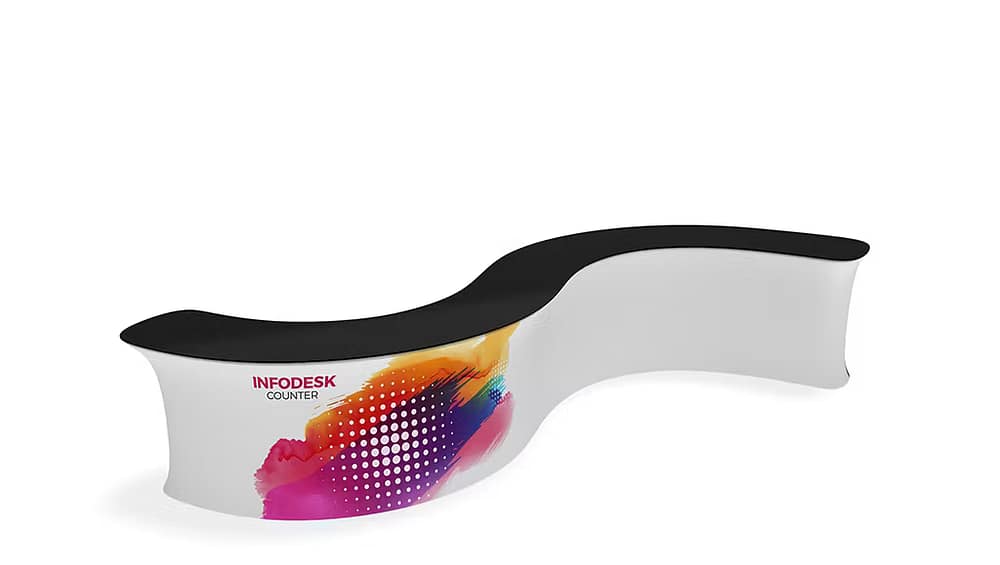
The WaveLine® InfoDesk combines a lightweight aluminium frame with stretch fabric graphics to create a smooth, branded front. Because the system is modular, it adapts to different booth sizes and layouts. Additionally, it functions as an information point, demonstration surface, or transaction counter depending on your needs. For detailed product options and variations, see the manufacturer listing here: WaveLine® InfoDesks
Specifications
The InfoDesk is engineered for trade show environments where ease and reliability matter. Key specifications include a collapsible aluminium frame, tension-fit fabric panels, and a lightweight top that supports point-of-sale hardware. As a result, you get a balance of strength and portability. Standard dimensions and weight vary by model, so check the specific configuration that matches your booth footprint.
Design Features
The counter’s curved WaveLine profile gives a modern look that improves sightlines and brand visibility. Moreover, seamless fabric graphics provide full-bleed printing so your logo and messaging remain uninterrupted. The counter also integrates cable management access, which keeps chargers and demo cables hidden and professional during live demonstrations.
Material Quality and Components
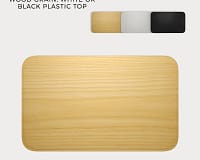
High-quality materials are used throughout to ensure repeated use at multiple events. The aluminium frame resists bending while composite tops provide a stable work surface. In addition, replaceable graphic panels allow quick rebranding between campaigns. The main components include the collapsible frame, stretch fabric skins, a rigid top, and internal shelving for storage.
Portability and Transport
Portability is a core advantage, and thus the WaveLine® InfoDesk ships in compact cases that fit into standard vehicle cargo spaces. Because the system is tool-free, a single team member can unpack and position the counter in minutes. Furthermore, the lightweight components reduce freight costs and simplify logistics for multi-city tours.
Setup Process
Setting up the InfoDesk is straightforward. First, unfold the aluminium frame and lock it into place. Next, slide the stretch fabric over the frame and secure it for a taut finish. Then, place the top and fasten internal shelves if required. Finally, route power and demo cables through the access points. Overall setup time typically ranges from five to fifteen minutes depending on model and experience.
Use Cases and Applications
The WaveLine® InfoDesk is versatile across event types. For trade shows it serves as a branded reception counter and demo station. For product launches it becomes a focal point for hands-on trials and lead capture. For retail activations it works as a pop-up checkout or information kiosk. Because the system is rebrandable, you can reuse it across different campaigns with new graphics.
Conclusion
In summary, the WaveLine® InfoDesk enhances your trade show booth by combining professional appearance, rapid setup, and practical storage. As a result, your team spends less time on logistics and more time engaging prospects. Choose this counter when you want a reliable, portable, and brand-forward solution that scales with your events and marketing needs.