Updated: September 11, 2025
Quick Setup: How to Build a OneFabric Pop-Up Display in Minutes
Introduction
OneFabric Pop-Up Banners deliver a fast, tool-free setup and a premium fabric finish that photographs beautifully and stands out on the show floor. Whether you manage a small events team or oversee a large tradeshow presence, this product lets you focus on conversations rather than construction. In the following sections, you will find clear product-focused guidance to help you plan, brief staff, and achieve a polished presentation every time.
General Information
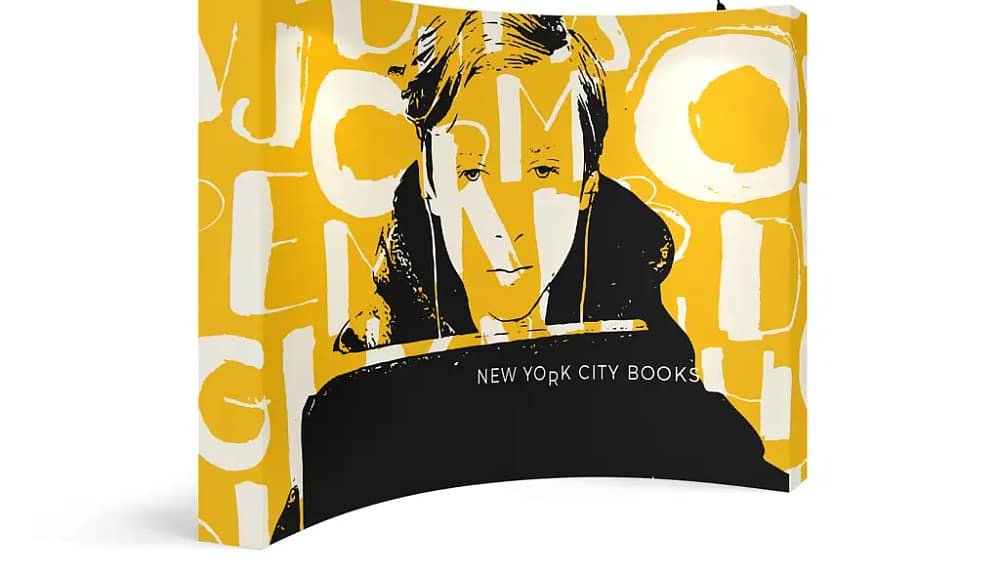
The OneFabric system is a modular pop-up display designed for speed and repeatable quality. Consequently, the frame uses a scissor-style grid with magnetic or clip connectors so no tools are required. Meanwhile, full-colour fabric graphics attach easily and maintain tension for a smooth, wrinkle-free face. As a result, setup time is measured in minutes rather than hours.
Specifications
- Frame type: Scissor grid with magnetic hubs or locking clips
- Graphic attachment: Stitched silicone edging or velcro-backed fabric
- Cases: Wheeled, protective transport case with internal storage
- Optional extras: LED lights, end caps, and merchandising shelves
- Typical setup time: 3 to 10 minutes for a single person
Setup Process
First, open the wheeled case and remove the folded frame and graphic. Next, expand the scissor frame until the magnets or clips snap into place, and then attach the graphic from one corner while smoothing across to remove slack. Finally, add lights or end caps if required, and use the case as hidden storage behind your booth. Therefore, this step-by-step approach keeps setup consistent and reduces stress on event day.
Components
Each OneFabric Pop-Up includes a lightweight aluminum frame, a dye-sublimated fabric graphic, a protective wheeled case, and optional lighting kits. Furthermore, magnetic hubs and corner fittings are engineered for repeated use, so teams can deploy displays quickly while maintaining alignment and tension over many events.
Design Features
The design focuses on visual clarity and ease of use. For example, the stitched silicone edging creates a secure, invisible seam along the frame, whereas the velcro-backed option speeds graphic changes. Moreover, subtle orientation labels on the inside top edge make assembly even faster for new staff. As a result, your brand consistently looks sharp on camera and in-person.
Material Quality
The fabric graphic uses high-resolution printing on premium polyester, which resists creasing and retains colour under LED lights. In addition, microfiber handling and labeling help keep prints clean and on-brand. Therefore, you get a durable investment that continues to perform across multiple activations.
Portability and Practicalities
The wheeled case makes transport simple and protects components in transit. Meanwhile, the lightweight frame reduces fatigue during setup, and quick-connect lighting options minimize electrical complexity. Consequently, teams can set up faster and stay focused on merchandising and lead capture instead of troubleshooting hardware.
Use Cases
OneFabric Pop-Up Banners are ideal for tradeshows, retail pop-ups, product launches, and corporate events. Additionally, they work well for temporary in-store displays and conference breakout areas. Because they combine speed and visual impact, they are especially valuable when multiple activations are scheduled in a single day.
Product Highlights and Options
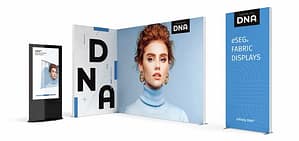
Choose from multiple sizes, graphic finishes, and accessory kits to match your event goals. Furthermore, modular accessories allow you to expand the display into a larger booth without sacrificing the quick build. To explore sizes, graphic options, and accessories for your next activation here: OneFabric Pop-Up Banners.
Conclusion
In summary, OneFabric Pop-Up Banners combine tool-free setup, premium printed fabric, and practical portability to keep your team efficient and your brand looking exceptional. Therefore, by following the simple setup process and using the recommended handling tips, you will reduce setup time and increase the visual impact of every activation. Finally, invest in a solution that saves time on show day and elevates your presentation every time.